
Make any hot tub smart.
A bright touch panel at the tub, a slick app in every pocket, and one controller built to retrofit the spas your customers already own.
Own a hot tub?
Ask your local spa dealer about a Ripple upgrade, and get the Ripple Spa app when it launches on the App Store.
How setup worksSell or service spas?
One controller kit for a wide range of existing spas. Ask about demo kits and dealer pricing.
Talk to usHow it worksSimply smart
Owners should not need a manual to enjoy their tub. Ripple keeps it to three steps, and the app takes it from there.
-
1Install
A Ripple dealer wires the controller into the tub and fits the touch panel.
-
2Pair
Stand at the tub, open the app, and it finds the spa over Bluetooth and sets up its Wi-Fi.
-
3Relax
Heat, jets, lights and Away mode from anywhere, with alerts that say what to do.
For dealersFits the tubs you already sell
Wire it in, pair the app at the tub, and tell it what the tub has. The panel and the app lay themselves out to match.
- 2–3Jet pumpsTwo-speed Jet 1 for circulation and heating
- 5.5 kW240 V heatersBoth legs switched, behind a hardware interlock
- 2AUX relays30 A each: ozone, blower, waterfall or lights
- 4.3″Touch panelGlass, sized for wet hands
FeaturesEverything at the tub, and in your pocket
Every setting lives in the app. Change it on the phone and the panel at the tub redraws itself within seconds.
-
Day & night touch panel
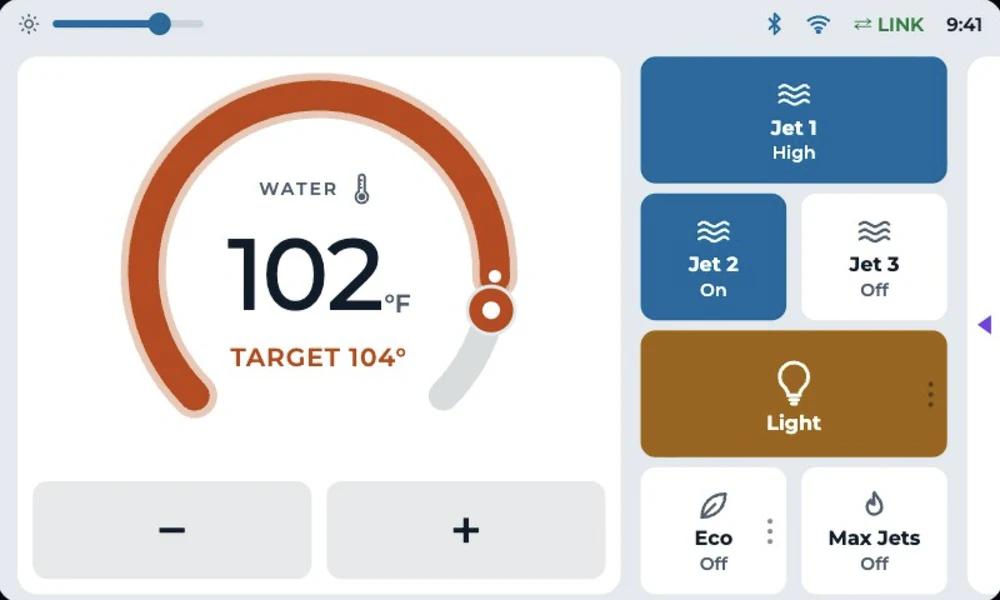
A temperature you can read across the deck. Day mode is made for bright sun.
-
Alerts that say what to do
Water ready, freeze protection, no flow, heater cutoff and spa offline, even with the app closed.
-
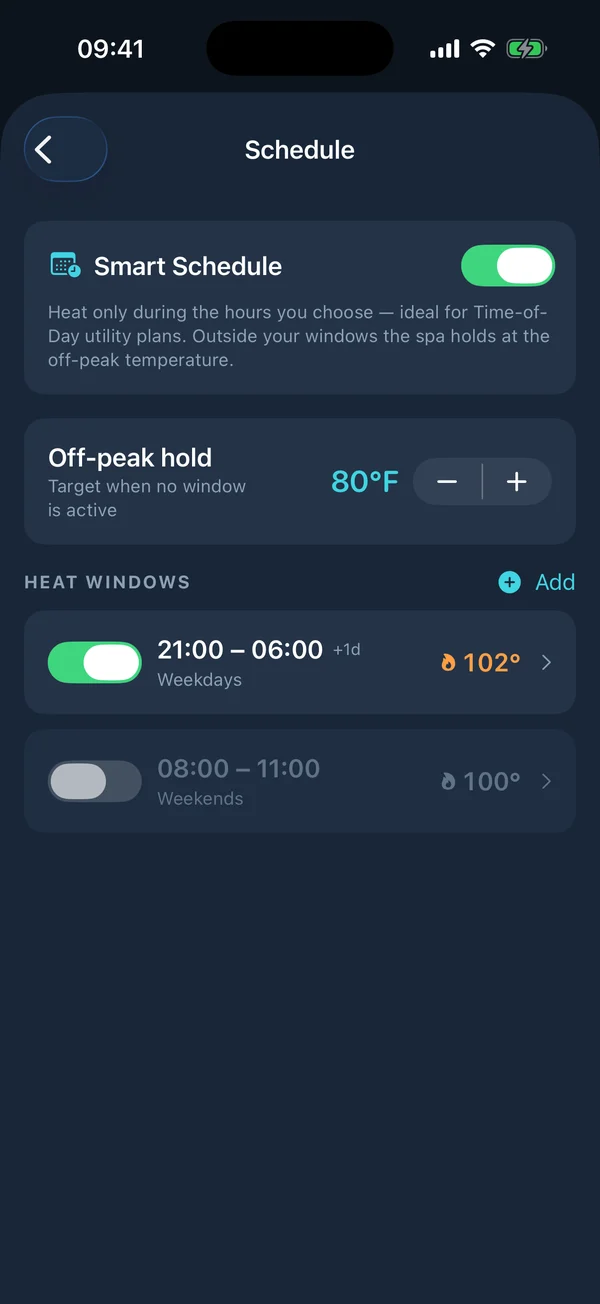
Smart scheduler
Heat windows for off-peak electricity, with a lower hold temperature in between.
-
Eco & Away
Eco saves energy day to day. Away keeps the tub cool while you travel, then heats it for your return.
-
Make it theirs
Name the tub and every AUX button, show only what the tub has, and set run timers.
-
Updates over the air
New features reach the panel with no service call. The app updates through the App Store.
Bright by day. Easy at night.
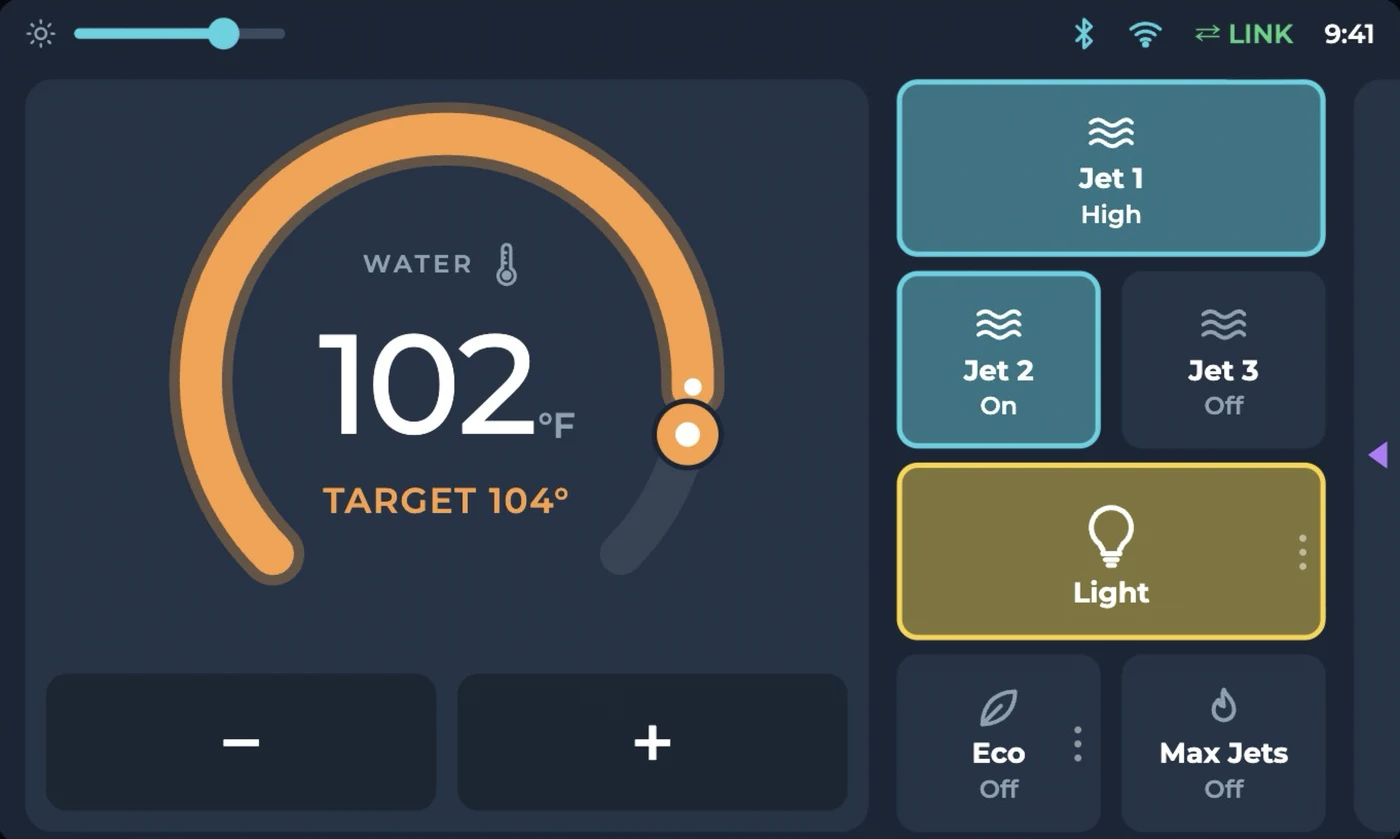
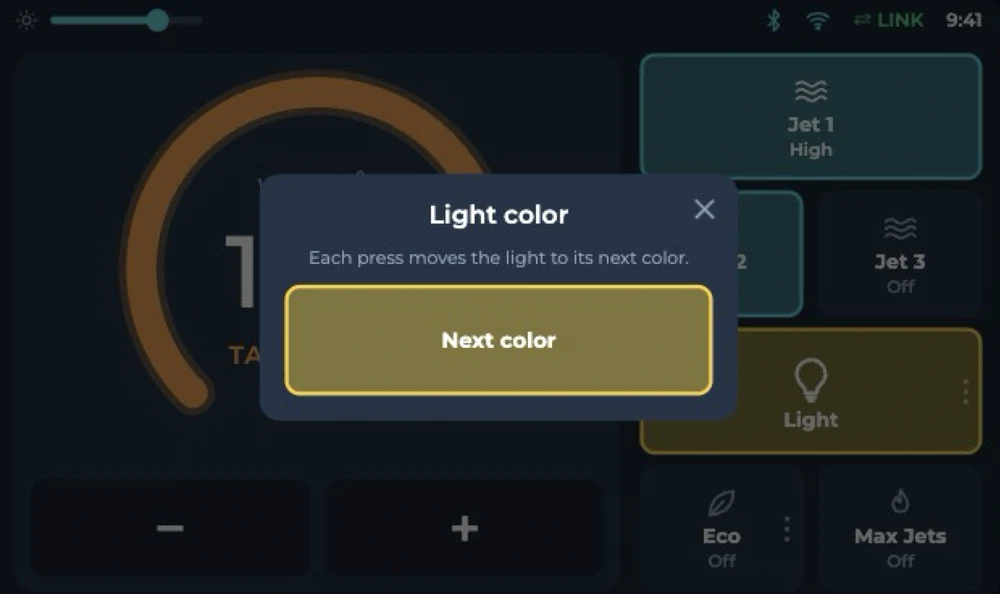
A 4.3-inch glass touch panel at the tub, with big targets for wet hands and two looks you switch from the app.
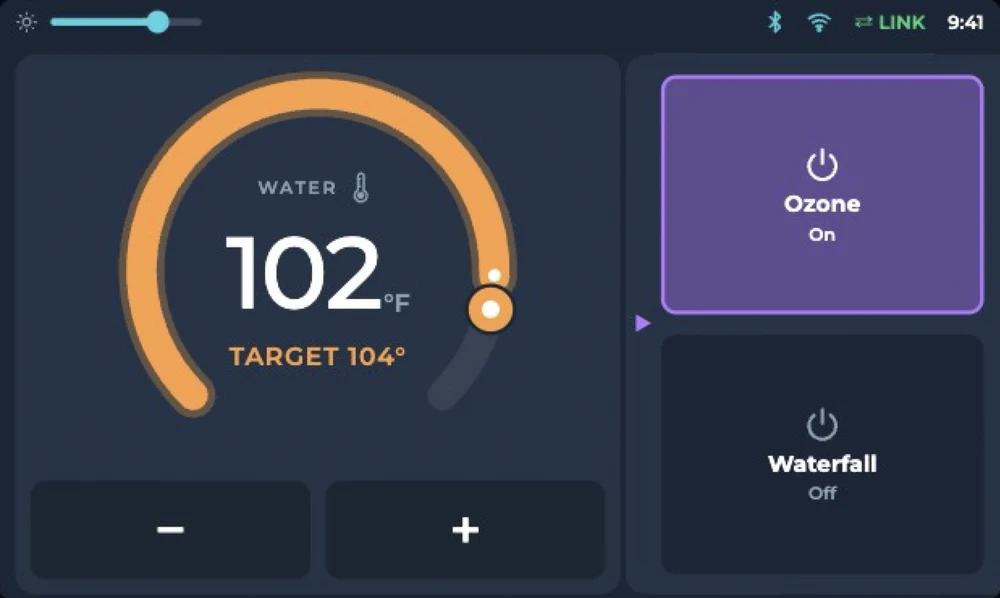
- Tap the bar on the right edge and the AUX buttons slide in, named by the owner.
- Two pumps instead of three? An AUX button takes Jet 3's place.
- Hold Light to step a color-changing bulb through its shows.
The appThe app runs the show
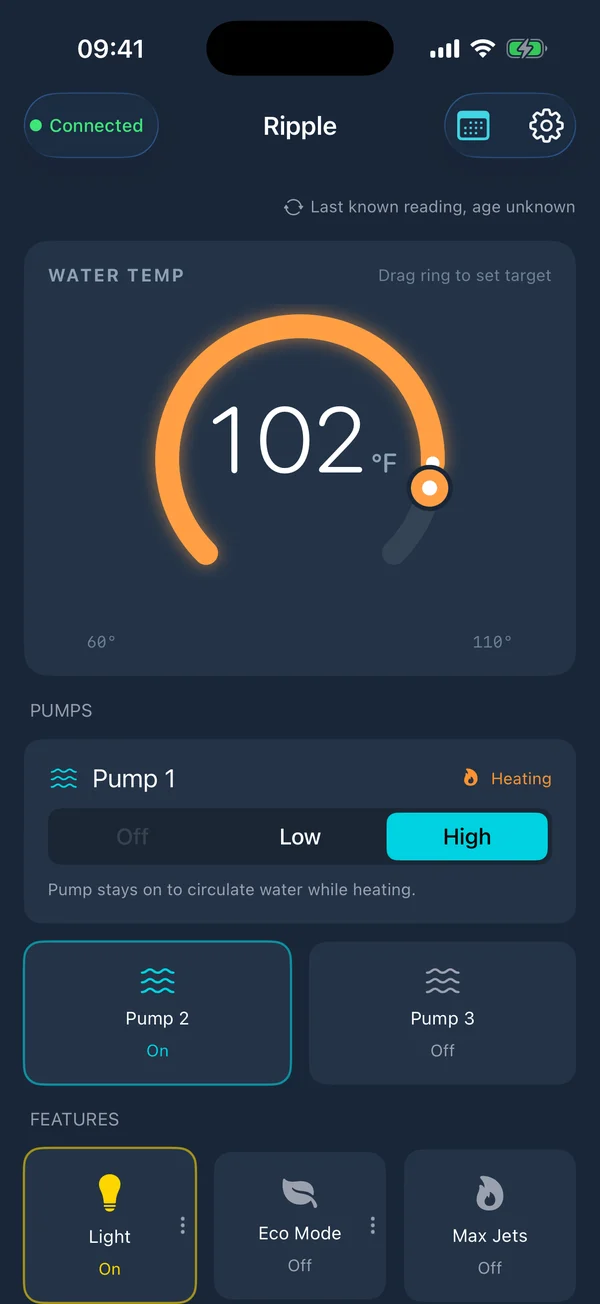
Equipment, names, timers, Eco, Away and the panel's theme, all from the phone.
Dashboard
Smart scheduler
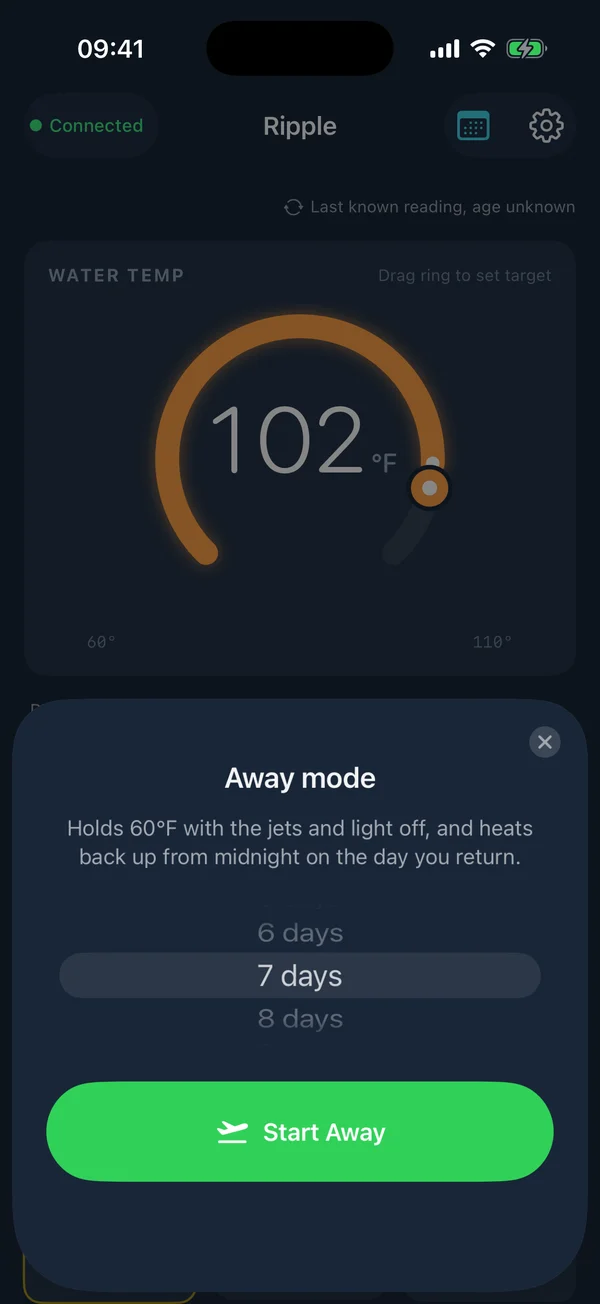
Away in two taps
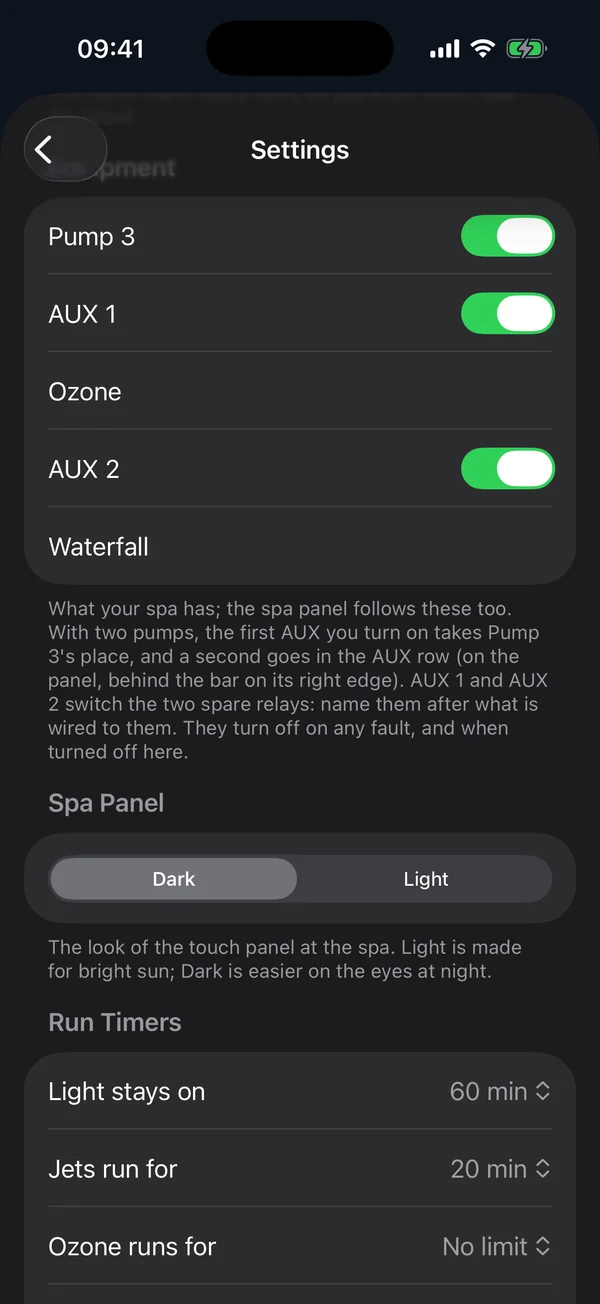
Equipment & names
Become a Ripple dealer
Ask about demo kits and dealer pricing.